What is this?
Most build sites show everyone the same front page. UniqueDrop lets you build your own. Put the Helltide timer at the top, keep your saved builds wherever you like, and hide whatever you think you'll never use. It takes less than a minute (depending on how picky you are)!
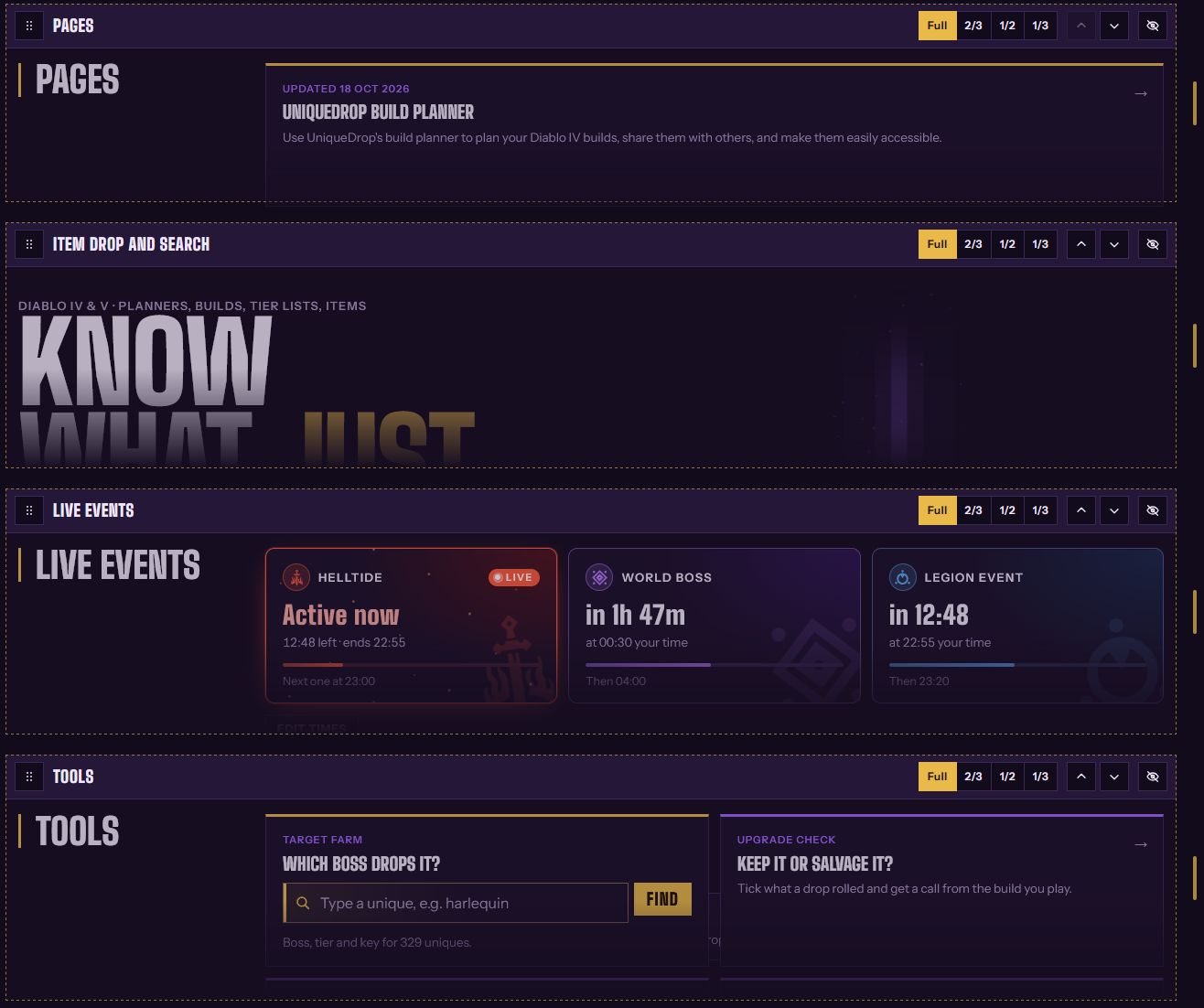
How to set it up
- On the home page, press "Customise" at the top (yes, I know, British spelling but whatever - British site mate)
- Drag a module by its "⠿" icon, or you can even use the arrows to move it
- Pick a width for each module, from full-sized all the way down to 33% (or 1/3). You can also drag its right edge on desktop
- Remove what you want, and add what you like with "Add a module"
- Press "Save layout". "Reset" will completely reset to default settings
- Have fun!
Where it's saved
If signed in, your layout saves to your account. If you're not signed in, it's saved to browser only. Even more reason to create an account, eh?